
What is an API key?
An API key is your authentication credential for accessing AI models. It looks like a random string:Where to get API keys
Popular providers
| Provider | Latest Models | Best For |
|---|---|---|
| OpenAI | GPT-5.2 | Writing Research, General writing |
| Anthropic | Claude Sonnet-4.6 / Opus-4.6 | Story Planning, Strategic thinking, Prose Writing |
| Gemini-3.1 | Fast, Cost-effective, Prose Writing, Multimodal | |
| xAI | Grok-4.1 | Real-time info, Flexible content policy, Multimodal |
| DeepSeek | DeepSeek-V3.2 | Budget-friendly, Flexible content policy |
| Zhipu AI | GLM-5 | Story Planning, Chinese content |
| Moonshot AI | Kimi-K2.5 | Long context, Chinese content |
| OpenRouter | Multiple models | Unified access, Model comparison |
Get free API keys
Explore free tier options and community resources
Local LLMs
Run AI models on your own computer for privacy and offline access.| Solution | Models | Best For |
|---|---|---|
| Ollama | Llama 3.1, Qwen, DeepSeek | Easy setup, macOS/Linux |
| LM Studio | Multiple open models | GUI interface, Cross-platform |
| vLLM | Custom deployments | High performance, Production |
Local model setup guide
Complete guide to running models locally
Configuration methods
Quick config from chat
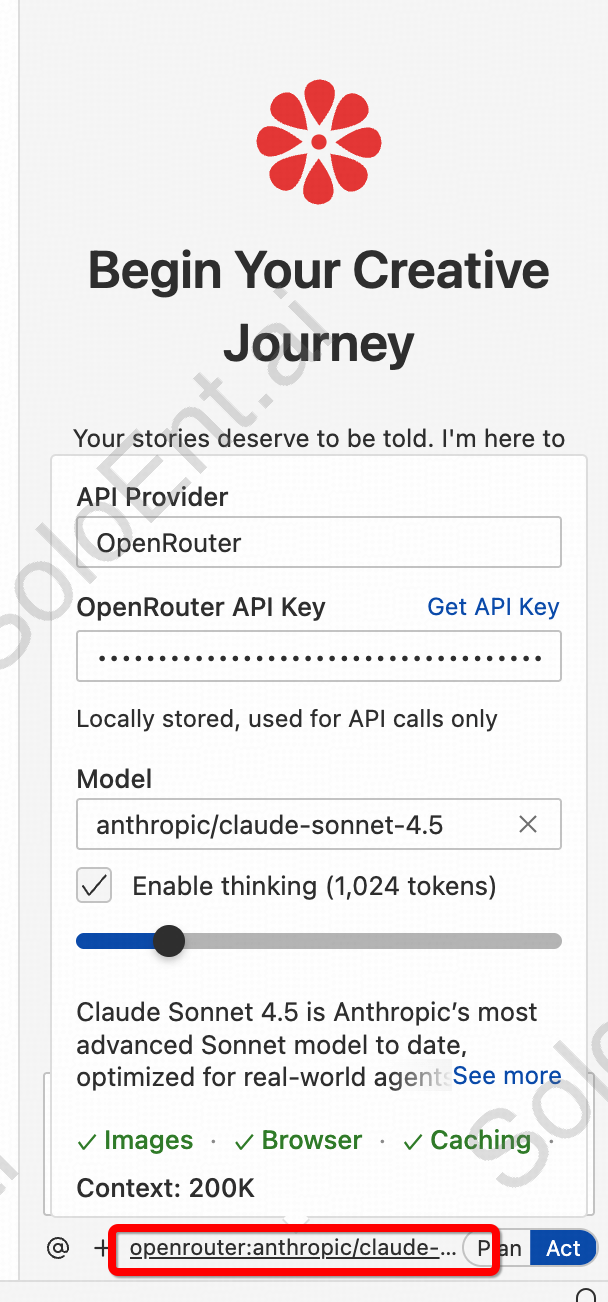
Via settings panel
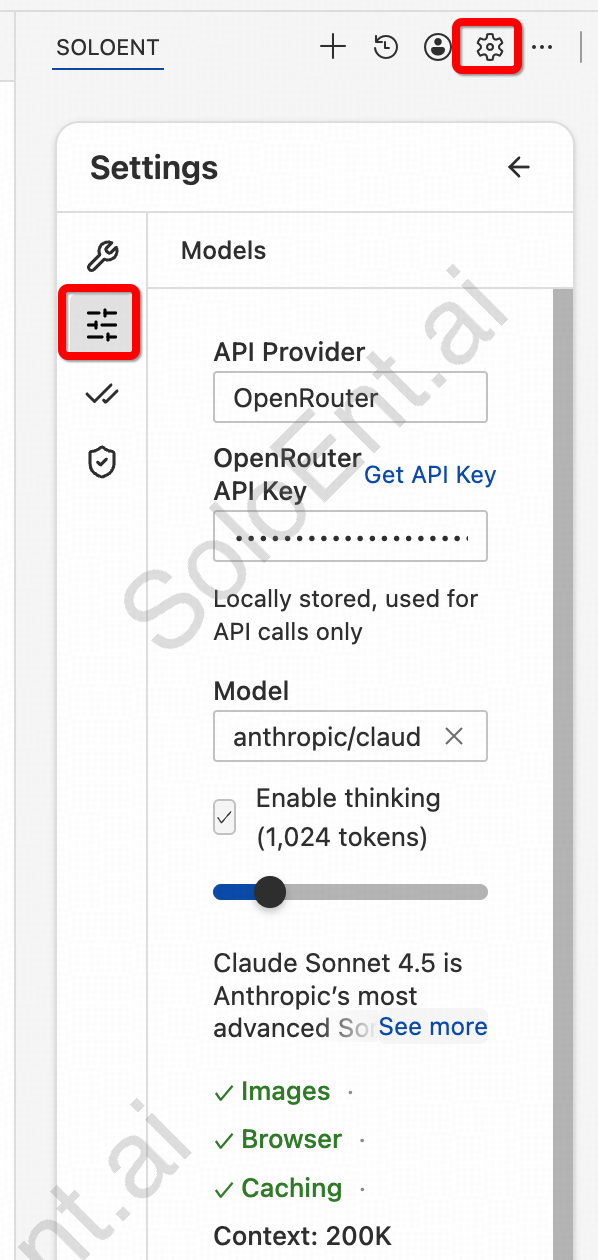
Configuration types
Standard (official providers)
For OpenAI, Anthropic, Google, and select aggregators:OpenAI-compatible (third-party)
Most third-party providers need all three fields:API endpoint URL (e.g.,
https://api.provider.com/v1)Your API key
Model identifier (e.g.,
gpt-4-turbo)Advanced: Different models per mode
Configure separate models for Plan and Act modes (optional):Plan Mode models
Plan Mode models
Best for strategic thinking:
- Claude Sonnet-4.6
- GPT-5.2
- GLM-5
Act Mode models
Act Mode models
Best for execution:
- Gemini Flash (fast)
- DeepSeek (economical)
- Kimi-K2.5 (long context)
Using the same model for both modes is fine for most users.
Troubleshooting
Invalid API key
Invalid API key
- Verify you copied the entire key
- Check if key has expired
- Regenerate from provider dashboard
Connection fails
Connection fails
- Check internet connection
- Verify Base URL (for OpenAI-compatible)
- Try without VPN
Rate limit exceeded
Rate limit exceeded
- Wait a few minutes
- Upgrade your API plan
- Use a different model